
Preventing Memory Corruption and Access Violations in C# COM Interop Applications
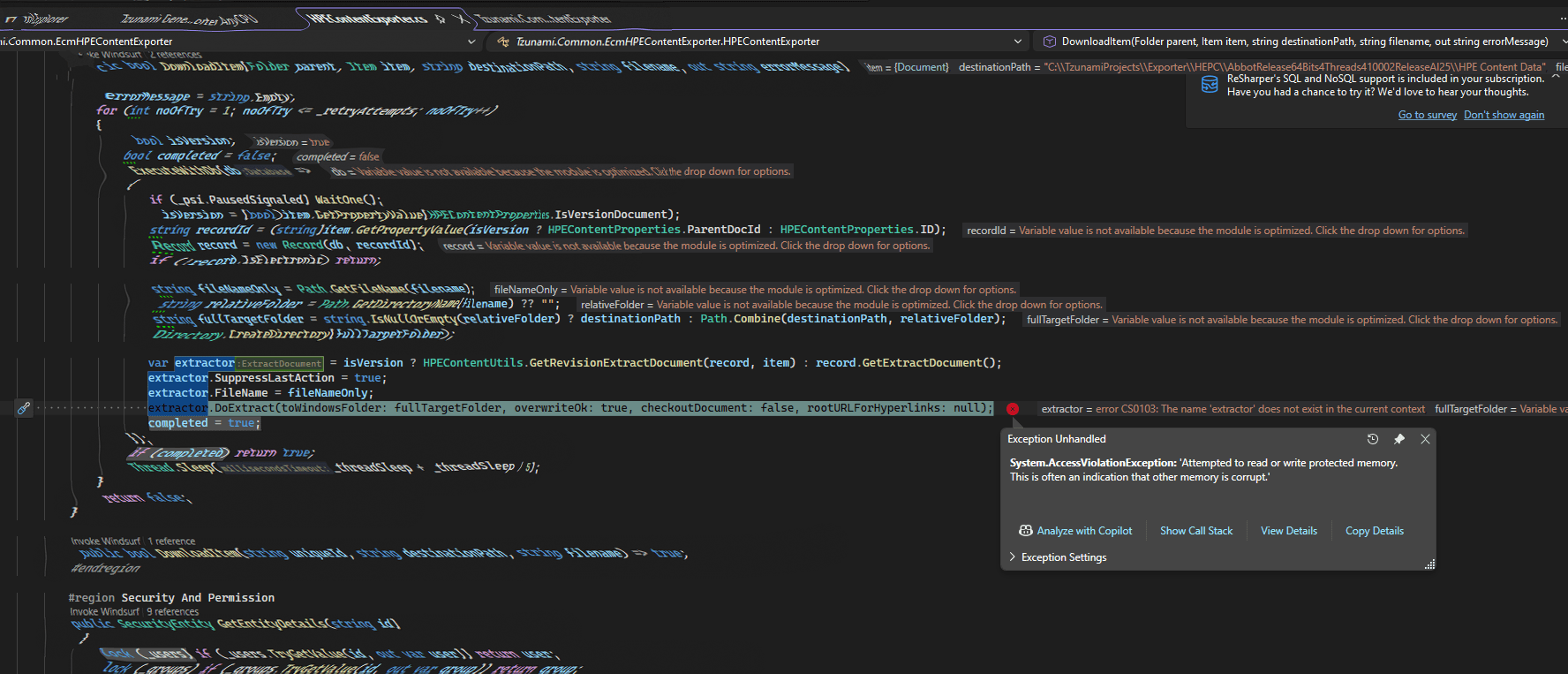
When working with unmanaged libraries or legacy COM-based SDKs in C#, developers sometimes encounter one of the most frustrating runtime errors:
Attempted to read or write protected memory. This is often an indication that other memory is corrupt.
These errors usually appear as:
AccessViolationException- Random process crashes
- Heap corruption
- Unstable retry behavior
- Native memory faults
Unlike standard managed exceptions, these failures originate in unmanaged code, which makes them significantly harder to diagnose and fix.
In this article, we’ll explore the most common causes of memory corruption in COM interop applications and discuss practical strategies to build safer and more stable .NET integrations.
Why COM Interop Requires Extra Care
The .NET runtime automatically manages memory for managed objects using the Garbage Collector (GC). COM components, however, follow very different rules.
COM libraries typically rely on:
- Native memory allocation
- Reference counting
- Apartment-threading models
- Manual cleanup
- Thread affinity
This mismatch between managed and unmanaged memory management is where many stability issues begin.
Common Causes of Memory Corruption in C# COM Applications
1. Using Objects After Their Parent Is Disposed
One of the most common causes of crashes is continuing to use a child COM object after its parent resource has already been released.
Example:
var session = Connect();
var document = session.GetDocument();

session.Dispose();

// Native memory already released
document.Read(); // Potential crash
Although the managed wrapper still exists, the underlying unmanaged memory may already be invalid.
2. Calling COM Components from the Wrong Thread
Many COM libraries are apartment-threaded and require execution on an STA (Single Threaded Apartment) thread.
However, common .NET patterns such as:
Task.Run(...)
Parallel.ForEach(...)
BackgroundService
typically execute on MTA (Multi Threaded Apartment) threads.
This mismatch can lead to:
- Random crashes
- Corrupted internal state
- Deadlocks
- Access violations
Understanding STA vs MTA
COM components often specify a threading model like:
ThreadingModel=Apartment
This means all interactions must occur on the same STA thread.
A safe pattern is to isolate COM work onto a dedicated STA thread.
STA Helper Method
public static T RunOnSta<T>(Func<T> func)
{
    T result = default;
    Exception captured = null;

    var thread = new Thread(() =>
    {
        try
        {
            result = func();
        }
        catch (Exception ex)
        {
            captured = ex;
        }
    });

    thread.SetApartmentState(ApartmentState.STA);

    thread.Start();
    thread.Join();

    if (captured != null)
    {
        ExceptionDispatchInfo
            .Capture(captured)
            .Throw();
    }

    return result;
}
Convenience Overload
public static void RunOnSta(Action action)
{
    RunOnSta<object>(() =>
    {
        action();
        return null;
    });
}
This approach ensures all COM interactions occur inside a valid apartment-threaded environment.
Garbage Collection Is Not Deterministic
Many developers assume COM objects are immediately cleaned up when they go out of scope.
That assumption is incorrect.
Managed wrappers are released only when the GC decides to collect them, which may happen much later than expected.
This can lead to:
- Native memory leaks
- Locked files
- Connection exhaustion
- Internal cache corruption
Releasing COM Objects Explicitly
For long-running processes or retry-heavy applications, explicit cleanup is often necessary.
Safe COM Release Helper
private static void SafeReleaseCom(object comObject)
{
    if (comObject == null)
        return;

    try
    {
        int remaining;

        do
        {
            remaining = Marshal.ReleaseComObject(comObject);
        }
        while (remaining > 0);
    }
    catch
    {
        // Object may already be released
    }
}
This drains all COM reference counts safely.
Retry Logic Can Accidentally Corrupt Memory
Retry loops are common in enterprise applications, but they become dangerous when live COM objects are reused across retries.
Unsafe example:
for (int i = 0; i < 3; i++)
{
    using var session = CreateSession();

    processor.Process(document);
}
If document was created using a previous session instance, it may internally reference released native memory.
Safer Retry Strategy
Instead of carrying COM objects across retries:
✅ Extract primitive values early
string documentId = document.Id;
string path = document.Path;
❌ Avoid storing live COM wrappers between attempts.
Then recreate COM objects fresh for each retry.
Recommended Retry Pattern
public bool ProcessDocument(
    string documentId,
    out string error)
{
    bool success = false;
    string capturedError = string.Empty;

    for (int attempt = 1; attempt <= 3 && !success; attempt++)
    {
        RunOnSta(() =>
        {
            Session session = null;
            Document document = null;

            try
            {
                session = CreateSession();

                document = session.Load(documentId);

                document.Process();

                success = true;
            }
            catch (Exception ex)
            {
                capturedError = ex.ToString();
            }
            finally
            {
                SafeReleaseCom(document);

                session?.Dispose();
            }
        });

        if (!success)
        {
            Thread.Sleep(attempt * 2000);
        }
    }

    error = capturedError;

    return success;
}
Best Practices for Stable COM Interop
1. Keep COM Object Lifetimes Short
Avoid caching COM wrappers long-term.
Prefer:
- IDs
- DTOs
- Strings
- Primitive values
over live unmanaged references.
2. Dispose in Reverse Order
Always release child objects before parents.
Correct:
child.Dispose();
parent.Dispose();
Incorrect disposal ordering may invalidate dependent unmanaged resources.
3. Avoid Sharing COM Objects Across Threads
COM wrappers are rarely thread-safe.
Do not pass them into:
- Async continuations
- Parallel tasks
- Queues
- Background workers
unless explicitly documented as safe.
4. Add Retry Backoff
Rapid retries can amplify memory corruption problems.
Use exponential backoff instead of immediate retries.
Example:
Thread.Sleep(attempt * 2000);
Debugging Native Memory Corruption
Standard managed debugging tools are often insufficient for COM crashes.
The following tools are extremely useful.
| Tool | Purpose |
|---|---|
| Visual Studio Native Debugging | View unmanaged call stacks |
| WinDbg + SOS | Analyze managed and native memory |
| Application Verifier | Detect heap corruption early |
| PerfView / ETW | Correlate GC activity and crashes |
| Process Monitor | Track file and COM activity |
Enable Native Debugging in Visual Studio
To debug unmanaged crashes:
Project → Properties → Debug → Enable native code debugging
This helps reveal the actual native function causing the fault.
Warning Signs of Unsafe COM Usage
You may have a COM lifetime problem if you notice:
- Random
AccessViolationException - Intermittent crashes
- Failures only under load
- Retry-related instability
- Persistent file locks
- Crashes disappearing under debugger
- Heap corruption errors
Final Thoughts
COM interop remains a critical part of many enterprise systems, especially when integrating with legacy Windows components or unmanaged SDKs.
The key takeaway is:
Managed code safety does not automatically extend to unmanaged libraries.
Building stable COM integrations requires careful attention to:
- Thread apartments
- Object ownership
- Lifetime management
- Deterministic cleanup
- Retry boundaries
By following safe threading and disposal patterns, you can significantly reduce memory corruption issues and improve the reliability of your .NET applications.



Leave a comment