
12 Production-Ready Async & Parallel Patterns Every .NET Developer Should Know
As .NET developers, we regularly encounter performance bottlenecks—slow API calls, CPU-heavy loops, and blocking operations that degrade the user experience.
To build applications that remain smooth and responsive, we need to use the right async and parallel programming patterns.
The solution?
Mastering production-ready async and parallel techniques that help us run workloads efficiently.
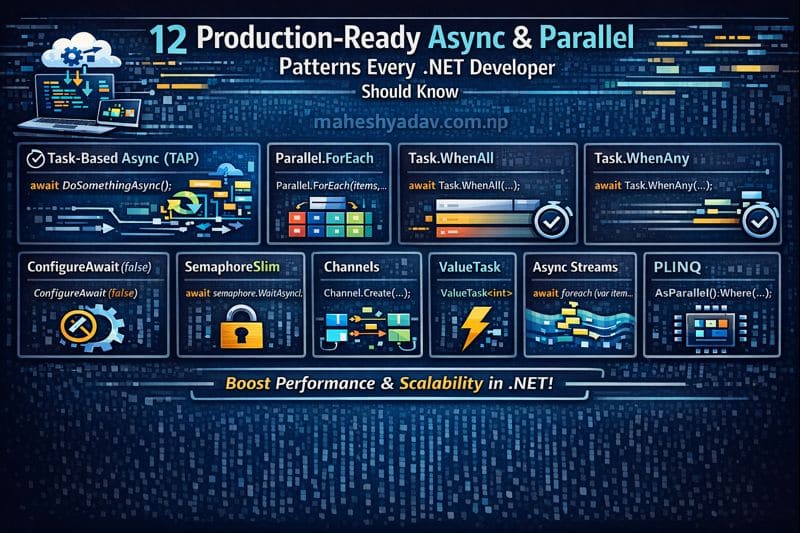
Here are 12 essential patterns every .NET developer should keep in their toolbox.
1. Task-Based Asynchronous Pattern (TAP)
await DoSomethingAsync();
Use for I/O-bound operations such as database calls, API requests, and file I/O.
2. Parallel.ForEach
Parallel.ForEach(items, item => Process(item));
Ideal for CPU-bound operations that process large collections in parallel.
3. Task.WhenAll
await Task.WhenAll(task1, task2, task3);
We use this to run tasks concurrently and wait for all to complete—reduces total execution time.
4. Task.WhenAny
var completed = await Task.WhenAny(task1, task2);
Great for selecting whichever task finishes first—useful in fallback logic, timeouts, or racing tasks.
5. ConfigureAwait(false)
await SomeAsync().ConfigureAwait(false);
Library code uses this pattern to avoid deadlocks and improve performance by skipping context capture.
6. SemaphoreSlim (Throttling)
await semaphore.WaitAsync();
try { /* work */ }
finally { semaphore.Release(); }
Useful for limiting concurrency when working with shared resources or external APIs.
7. Channels (Producer–Consumer)
var channel = Channel.CreateUnbounded<T>();
await channel.Writer.WriteAsync(item);
We use Channels to build high-performance producer–consumer pipelines such as streaming or background jobs.
8. ValueTask
public ValueTask<int> GetCachedAsync() { ... }
Designed for performance-critical code paths where results may already be available.
9. IAsyncEnumerable (Async Streams)
await foreach (var item in GetDataAsync()) { }
Async streams make it easy to process data gradually without loading everything into memory.
10. PLINQ (Parallel LINQ)
var result = items.AsParallel().Where(x => x.IsValid());
A fast way to parallelize LINQ queries for CPU-heavy operations.
11. TPL Dataflow
var block = new ActionBlock<T>(x => Process(x));
await block.SendAsync(item);
Best suited for building pipeline-style asynchronous workflows such as ETL data processing.
12. Fire-and-Forget (Safe)
var backgroundTask = Task.Run(async () => await LogAsync());
Used for non-critical background tasks such as logging or telemetry—while still handling exceptions safely.
Pro Tip — Choose the Right Pattern
- I/O-bound? → async/await
- CPU-bound? → Parallel.ForEach or PLINQ
- Need concurrency control? → SemaphoreSlim or Channels
- Pipeline-style processing? → TPL Dataflow
Conclusion
Each of these 12 patterns helps us solve real production challenges—from managing concurrency and improving throughput to keeping our applications responsive under heavy load.
By choosing the correct async or parallel pattern for the job, we ensure our .NET applications remain fast, scalable, and ready for modern workloads.




Leave a comment