
Mastering Database Connection Management: A Practical Guide to Multi-Provider Connection Pooling
The Art of Efficient Database Connectivity
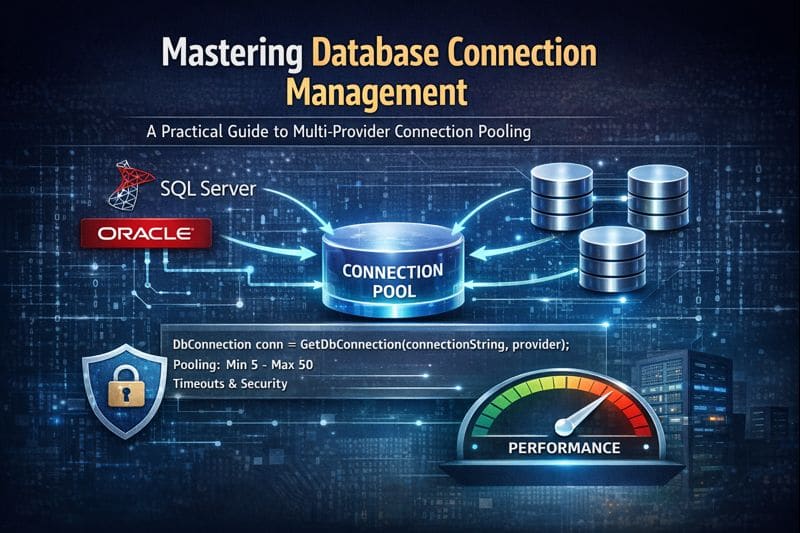
In modern enterprise applications, database connectivity isn’t just about establishing a connection—it’s about managing resources efficiently, ensuring performance, and maintaining reliability. Let’s explore how we can build a robust connection management system that handles multiple database providers with built-in connection pooling.
Why Connection Management Matters
When we build applications that interact with databases, we often face several challenges:
- Performance bottlenecks from repeatedly opening and closing connections
- Resource exhaustion from too many concurrent connections
- Complexity in supporting multiple database systems
- Security concerns with connection string management
A well-designed connection management strategy addresses these issues through abstraction, pooling, and intelligent defaults.
Our Connection Management Strategy
We use a provider-agnostic factory pattern:
public static DbConnection GetDbConnection(string connectionString, DbProviders provider)
{
    if (provider == DbProviders.MicrosoftSqlServer)
        return new SqlConnection(connectionString);
    return new OracleConnection(connectionString);
}
This abstraction allows applications to work with multiple database systems through a consistent interface.
The Power of Connection Pooling
Connection pooling is where the real magic happens. Instead of creating a new connection for every operation, we reuse existing connections. Here’s how we configure it:
SQL Server Pooling
var builder = new SqlConnectionStringBuilder
{
    DataSource = BuildSqlServerDataSource(serverInstance, port),
    InitialCatalog = databaseName,

    // Connection Pooling
    Pooling = true,
    MinPoolSize = 5,
    MaxPoolSize = 50,
    LoadBalanceTimeout = 300,   // Recycle connections after 5 minutes

    // Performance & Stability
    ConnectTimeout = 30,
    PacketSize = 4096,
    WorkstationID = Environment.MachineName
};
Why these settings matter
- Pool Size: Enough connections for 4 threads without oversizing
- MARS disabled: Avoids unnecessary server-side overhead
- PacketSize: Optimized for standard workloads
- WorkstationID: Enables observability in monitoring tools
Oracle Pooling
var builder = new OracleConnectionStringBuilder
{
    DataSource = BuildOracleDataSource(serverInstance, port, serviceName, serviceValue),

    // Connection Pooling
    Pooling = true,
    MinPoolSize = 5,
    MaxPoolSize = 50,
    IncrPoolSize = 5,
    DecrPoolSize = 2,

    // Stability & Timeouts
    ConnectionTimeout = 30,
    ConnectionLifeTime = 300,
    ValidateConnection = true,

    // Performance Optimization
    StatementCacheSize = 20
};
Why these settings matter
- StatementCacheSize reduces parsing overhead and improves OLTP performance
- Increment/Decrement pool size smooths connection bursts
- ConnectionLifetime ensures stale connections are recycled
- ValidateConnection avoids returning broken connections from the pool
Building Robust Connection Strings
public static string CreateDbConnectionString(string serverInstance, string databaseName,
    string schema, string serviceName, string serviceValue, DbProviders provider,
    AuthenticationType authType, string username = "", string password = "", int port = 0)
{
    if (string.IsNullOrWhiteSpace(serverInstance))
        throw new ArgumentException("Server instance cannot be empty", nameof(serverInstance));

    if (port <= 0)
        port = provider == DbProviders.MicrosoftSqlServer ? 1433 : 1521;

    return provider == DbProviders.MicrosoftSqlServer
        ? CreateSqlServerConnectionString(serverInstance, databaseName, schema, authType, username, password, port)
        : CreateOracleConnectionString(serverInstance, serviceName, serviceValue, authType, username, password, port);
}
Security Best Practices
- Authentication abstraction for SQL vs Windows
- Never log credentials
- Encrypt connections by default
- Do not persist security info
// SQL Authentication
builder.PersistSecurityInfo = false;
builder.Encrypt = true;

// Windows Authentication
builder.IntegratedSecurity = true;
builder.PersistSecurityInfo = false;
Threading and Pooling Considerations
For multi-threaded(4) workloads:
- Each thread acquires its own pooled connection
- No connection sharing occurs across threads
- Pool size is more than sufficient
- MARS is disabled to improve throughput
Command execution should still enforce a command timeout:
command.CommandTimeout = 30;
Practical Usage Patterns
// Create connection string
var connectionString = ConnectionUtils.CreateDbConnectionString(
    serverInstance: "localhost",
    databaseName: "AppDatabase",
    schema: "dbo",
    provider: DbProviders.MicrosoftSqlServer,
    authType: AuthenticationType.Windows
);

// Open connection
using (var connection = ConnectionUtils.GetDbConnection(connectionString, provider))
{
    await connection.OpenAsync();
    // Perform database operations
} // Returns to pool automatically
Monitoring and Maintenance
- Pool size utilization
- Connection lifetime
- Timeout frequency
- Authentication failures
Lessons Learned
- Default ports matter (1433 for SQL Server, 1521 for Oracle)
- Early parameter validation prevents runtime errors
- Provider-specific flexibility is crucial
- Pooling and timeouts deliver performance by default
- Security by design reduces risk
Conclusion
Effective database connection management is provider-aware, secure, and performance-conscious.
- SQL Server: MARS off for multi-threaded workloads, pool sizes tuned to thread count
- Oracle: Statement caching, connection validation, and pool growth tuning maximize throughput
By abstracting connection concerns and applying these best practices, applications remain scalable, reliable, and maintainable.
The implementation shown here demonstrates patterns that can be adapted for SQL Server, Oracle, or other databases with connection pooling capabilities.




Leave a comment